What is it?
For the non-specialist: Neural Link is a private AI assistant that has read all of my project notes. You can ask it anything about how Taciturn works, what signals it uses, how the infrastructure is set up, or what decisions were made and why — and it gives you a specific, accurate answer drawn directly from my documentation. It lives at brain.taciturn.uk. Think of it as a search engine that understands meaning rather than keywords, trained entirely on my own notes.
For the specialist: Neural Link is a production RAG (Retrieval-Augmented Generation) system running on a DigitalOcean VPS. It uses ChromaDB for semantic vector storage, chunking Obsidian markdown files into 400-character overlapping segments and indexing them as high-dimensional embeddings. At query time, a cosine similarity search retrieves the top-k most semantically relevant chunks, which are injected as context into a Groq API call (llama-3.1-8b-instant). The system includes visitor rate limiting, jailbreak pattern detection, keyword-based content filtering, and an analytics pipeline logging all queries to CSV. First deployed: April 2026. Migrated to VPS with Groq backend: May 2026.
Why I built it
The problem I was solving was session continuity. Every time I started a new development session, I’d spend the first 20 minutes re-reading notes, re-establishing context, reminding myself what state everything was in. Over weeks of active development across multiple interconnected systems, that adds up.
I wanted a system where that context just existed — permanently available, queryable in natural language. Something that had read all my Obsidian notes, all my project files, all my handoff documents, and could answer questions immediately.
Neural Link is that system. I can ask it “what caused the volume threshold degradation in April?” and it finds the relevant notes and explains exactly what happened. I can ask it “what are the current active signals on gold?” and it gives the current state pulled from the documentation. It also serves as a public-facing showcase — visitors can query it at brain.taciturn.uk to learn about the project stack.
How it works
Ingestion pipeline — A Python script (ingest.py) reads every .md and .canvas file from my Obsidian vault, splits them into overlapping 400-character chunks with 80-character overlap, and stores embeddings in ChromaDB. The chunking strategy preserves context across boundaries; the overlap ensures no information is lost at chunk edges. Certain files are excluded from ingestion (passwords, contacts, connectivity notes) and certain files are hidden from the graph visualisation but still accessible to the model.
Query pipeline — At query time, the user’s question is embedded and a top-8 cosine similarity search retrieves the most relevant chunks from the database. These are assembled into a context block and passed to the LLM with a system prompt. The model generates a response grounded entirely in the retrieved context, with explicit instructions not to hallucinate or invent information not present in the notes.
Security layers — Login required for all endpoints. Jailbreak pattern detection blocks prompt injection attempts. Visitor accounts are rate-limited to 10 queries per hour and blocked from querying sensitive keywords. The system prompt restricts public users to project-related information only.
Analytics — Every visit and query is logged to analytics.csv with timestamp, user type, and query text. A separate dashboard at /a shows visit counts, unique IPs, query volume, and top query topics alongside live Taciturn trading statistics.
The visual
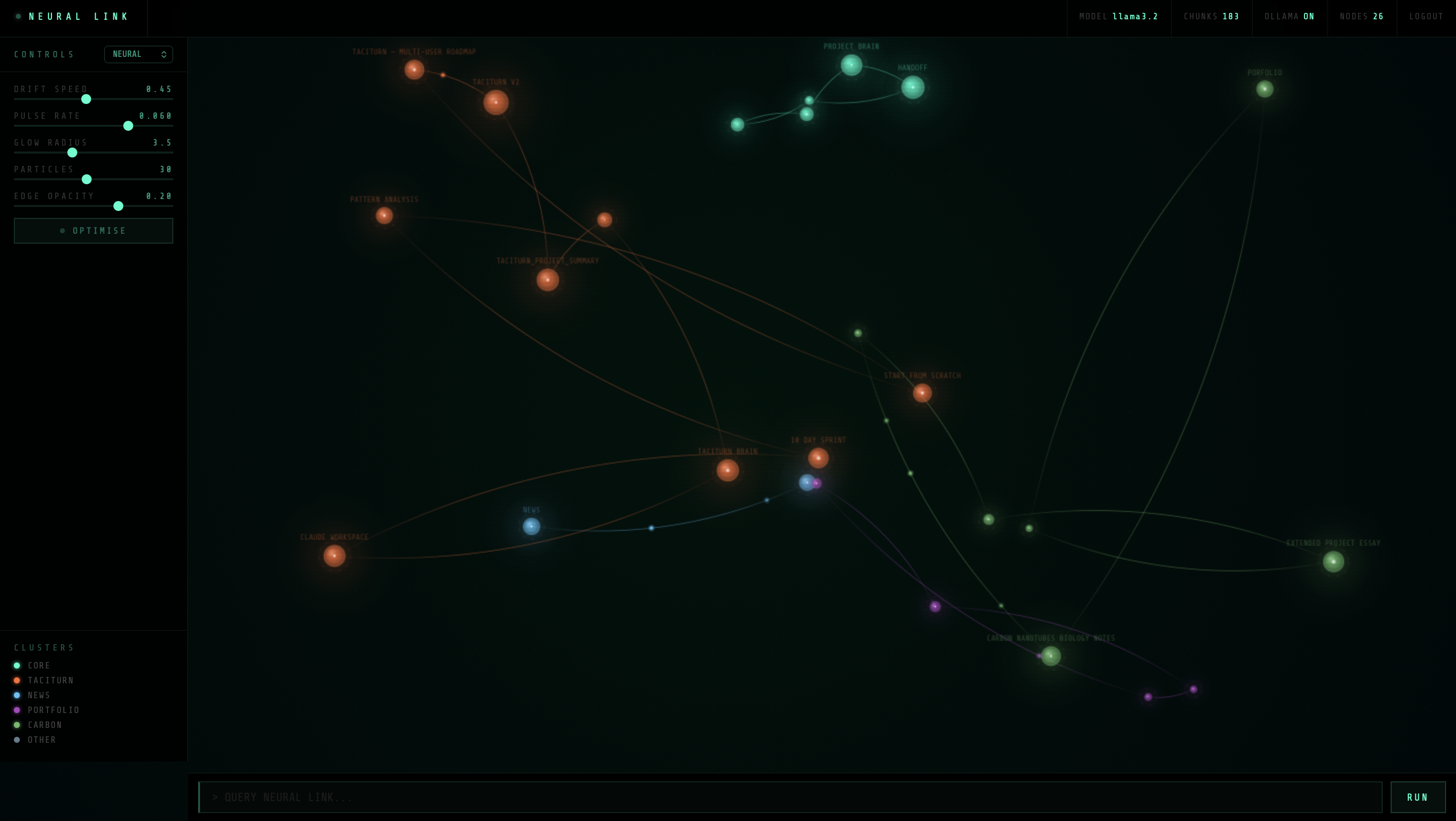
The frontend is a canvas-based neural network visualisation — each node represents an indexed document, clustered by category (Taciturn, News, Carbon, Portfolio, Core). Glowing nodes drift slowly with particle streams flowing between related documents. Clicking any node instantly queries it. The interface includes sliders for drift speed, pulse rate, glow radius, particle density, and edge opacity, plus an optimise mode for low-power environments.
Tech stack
- ChromaDB — vector database for semantic storage and retrieval
- Groq API (llama-3.1-8b-instant) — cloud inference, sub-second first token latency
- Flask — serves the web interface on port 8090
- Cloudflare Tunnel — public access at brain.taciturn.uk
- DigitalOcean VPS — runs 24/7, London datacenter, Ubuntu 24.04
- systemd / nohup — process management and auto-restart
Key decisions
Moving from local Ollama (llama3.2 on M2) to Groq API was the most significant architectural change. Local inference had 10–20 second response times and required the laptop to be on. Groq cuts that to under 2 seconds, and moving to the VPS means the system is always available regardless of the laptop state. The trade-off is a dependency on an external API, but for a non-critical AI assistant that’s acceptable.
The chunk size of 400 characters with 80-character overlap was arrived at through testing. Smaller chunks improved retrieval precision but lost context; larger chunks improved context but degraded similarity matching. 400/80 is the current optimum for this corpus size.
First started: April 2026
Migrated to VPS / Groq: May 2026
Live: brain.taciturn.uk